Nov 21, 2026 • 5 min read
Generating Crisp Terminal GIFs from Asciinema Files with agg
The Problem
Raw terminal recordings or screen captures often end up bloated, blurry, or poorly sized for documentation, READMEs, and blog posts. While .cast files recorded with asciinema are lightweight and crisp in a web player, many platforms, chat apps, and static site layouts require a self-contained animated GIF.
Instead of recording your screen with a video capture tool and manually converting or trimming frames, you can render .cast files directly into high-quality animated GIFs using agg (asciinema gif generator), backed by gifski for smooth frame timing and color rendering.
flowchart LR
    subgraph Recording["1. Capture Session"]
        Term["Terminal Session"] -->|"asciinema rec"| CastFile["agg-demo.cast"]
    end

    subgraph Rendering["2. Render GIF"]
        CastFile -->|"agg + options"| AggTool["agg CLI"]
        AggTool --> GifFile["demo.gif"]
    end
- The example below uses a self-contained
agg-demo.castfile inasciinemav2 format so you can test the exact input and output without recording a session first.
Technical Solution Overview
Generating a polished GIF works best as a two-step workflow: create a minimal agg-demo.cast input and verify a baseline GIF render, then tune visual geometry, color themes, and typography for your target layout.
flowchart LR
    Step1["Step 1: Sample agg-demo.cast
& Baseline GIF"] --> Step2["Step 2: Styled GIF
(Themes, Size & Typography)"]
- Save the following sample
asciinemarecording asagg-demo.cast:
{"version": 2, "width": 80, "height": 18, "title": "agg demo"}
[0.2, "o", "\u001b[1;32muser@host\u001b[0m:\u001b[1;34m~\u001b[0m$ "]
[0.8, "o", "echo \"Hello from agg\"\r\n"]
[1.0, "o", "Hello from agg\r\n"]
[1.3, "o", "\u001b[1;32muser@host\u001b[0m:\u001b[1;34m~\u001b[0m$ "]
[1.9, "o", "uname -s\r\n"]
[2.1, "o", "\u001b[36mLinux\u001b[0m\r\n"]
[2.4, "o", "\u001b[1;32muser@host\u001b[0m:\u001b[1;34m~\u001b[0m$ "]Pro-Tip: Piping or Remote Recordings
- You can pass a local
.castfile, read from standard input (-), or pointaggdirectly at anasciinema.orgrecording URL:
cat agg-demo.cast | agg - demo.gif- Use
aggwhen you want deterministic, repeatable terminal GIFs for docs and tutorials without manual video editing.
Step 1: Sample agg-demo.cast and Baseline GIF
An asciinema v2 file is newline-delimited JSON: line 1 is a JSON object header with terminal dimensions and metadata, and each subsequent line is a [timestamp, event_code, data] array.
flowchart LR
    Cast["agg-demo.cast
(v2 header + 'o' events)"] -->|"agg agg-demo.cast demo.gif"| OutGif["demo.gif
(Baseline GIF)"]
- Confirm
aggis installed and inspect its command-line options:
agg -h- Render a baseline GIF from
agg-demo.cast:
agg agg-demo.cast demo.gifExpected Input & Output
- Input (
agg-demo.cast): An 80x18asciinemarecording ("width": 80, "height": 18) spanning ~2.4 seconds with ANSI color escape sequences (\u001b[1;32m,\u001b[1;34m,\u001b[36m) and"o"(output) events. - Output (
demo.gif): An animated GIF playing the prompt,echo "Hello from agg",Hello from agg,uname -s, andLinuxat real-time intervals usingagg’s default settings (draculatheme andswashrenderer).
Step 2: Customizing Themes, Dimensions, and Typography
To make terminal GIFs legible across high-DPI displays, documentation cards, and mobile viewports, explicitly configure layout geometry, color palettes, and text metrics.
flowchart LR
    Cast["agg-demo.cast"] --> Opts["--theme, --cols, --rows
--font-size, --line-height"]
    Opts --> StyledGif["polished.gif"]
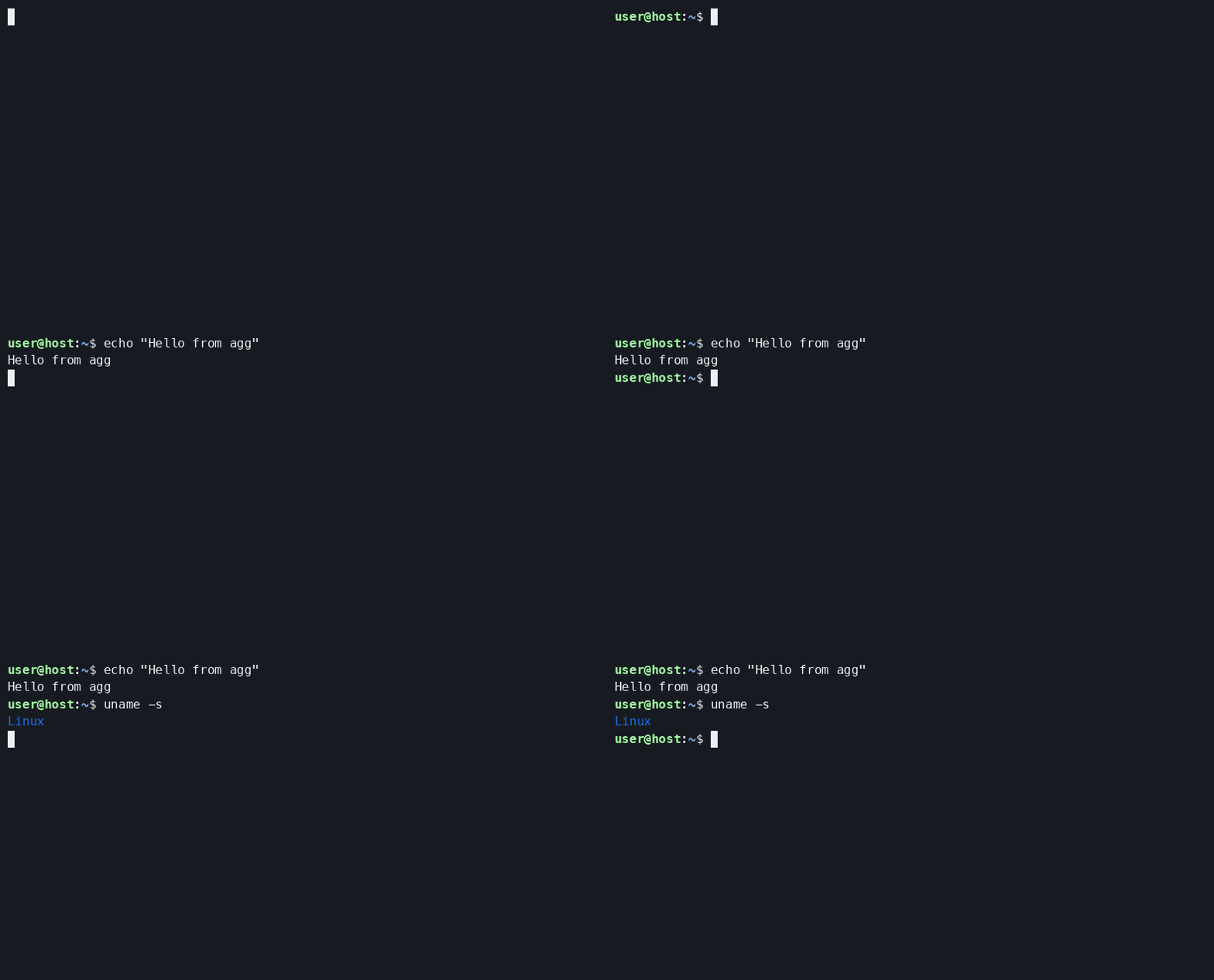
- Color Themes (
--theme): Override the default or embedded theme using built-in names such asasciinema,dracula,github-dark,github-light,gruvbox-dark,kanagawa,kanagawa-dragon,kanagawa-light,monokai,nord,solarized-dark, orsolarized-light(or pass custom hex color triplets):
agg --theme github-dark agg-demo.cast demo-color.gifExpected Output:
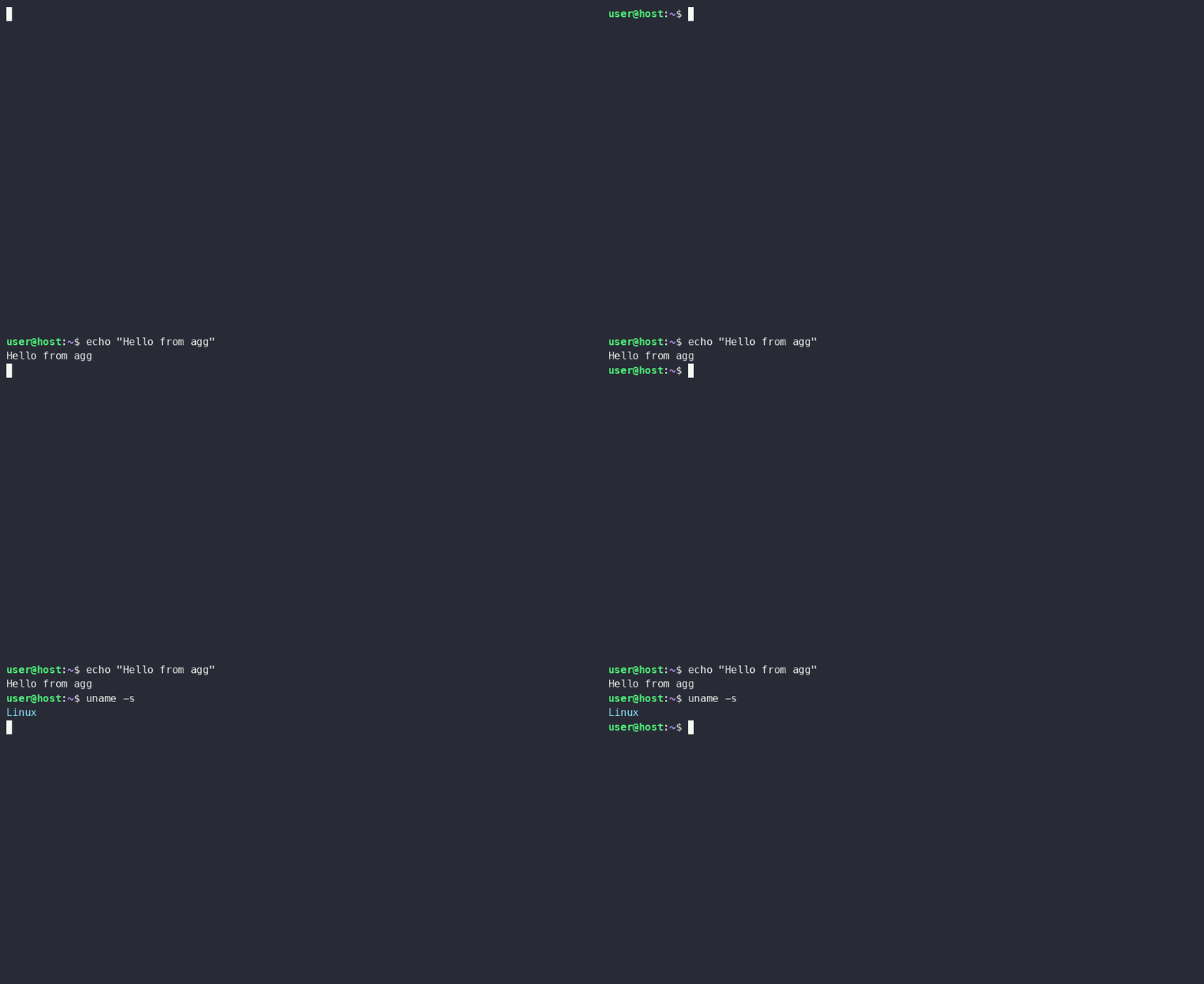
- Terminal Dimensions (
--colsand--rows): By default,agguses thewidthandheightstored in the.castheader (80and18inagg-demo.cast). Override--cols(columns) and--rows(rows) to match a target frame size:
agg --cols 96 --rows 22 agg-demo.cast demo-dimension.gifExpected Output:
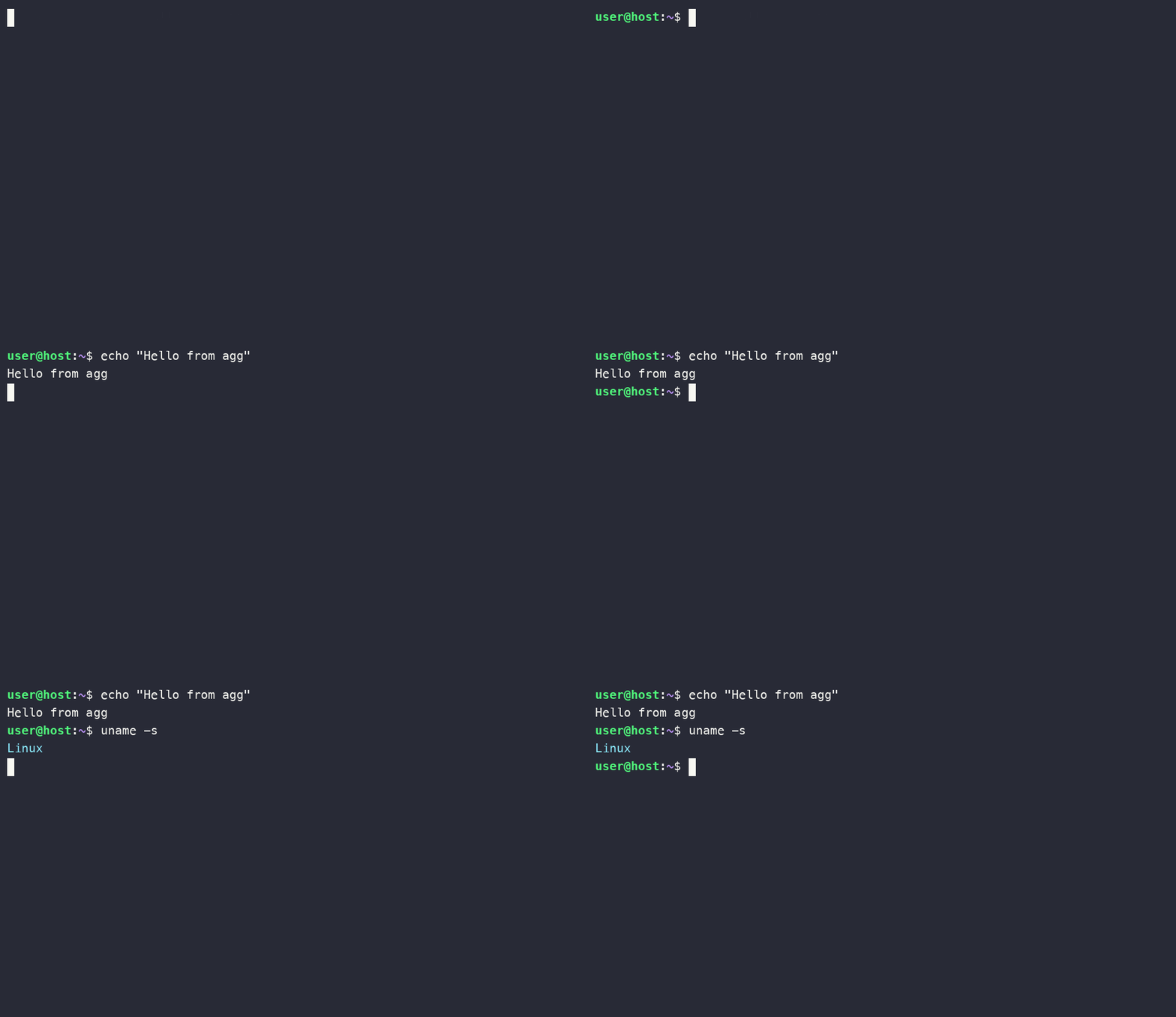
- Font Size and Line Height (
--font-sizeand--line-height): Adjust--font-size(in pixels) for sharper text scaling and--line-height(multiplier relative to font size, default1.4) to control vertical spacing between lines:
agg --font-size 20 --line-height 1.5 agg-demo.cast demo-font.gifExpected Output:
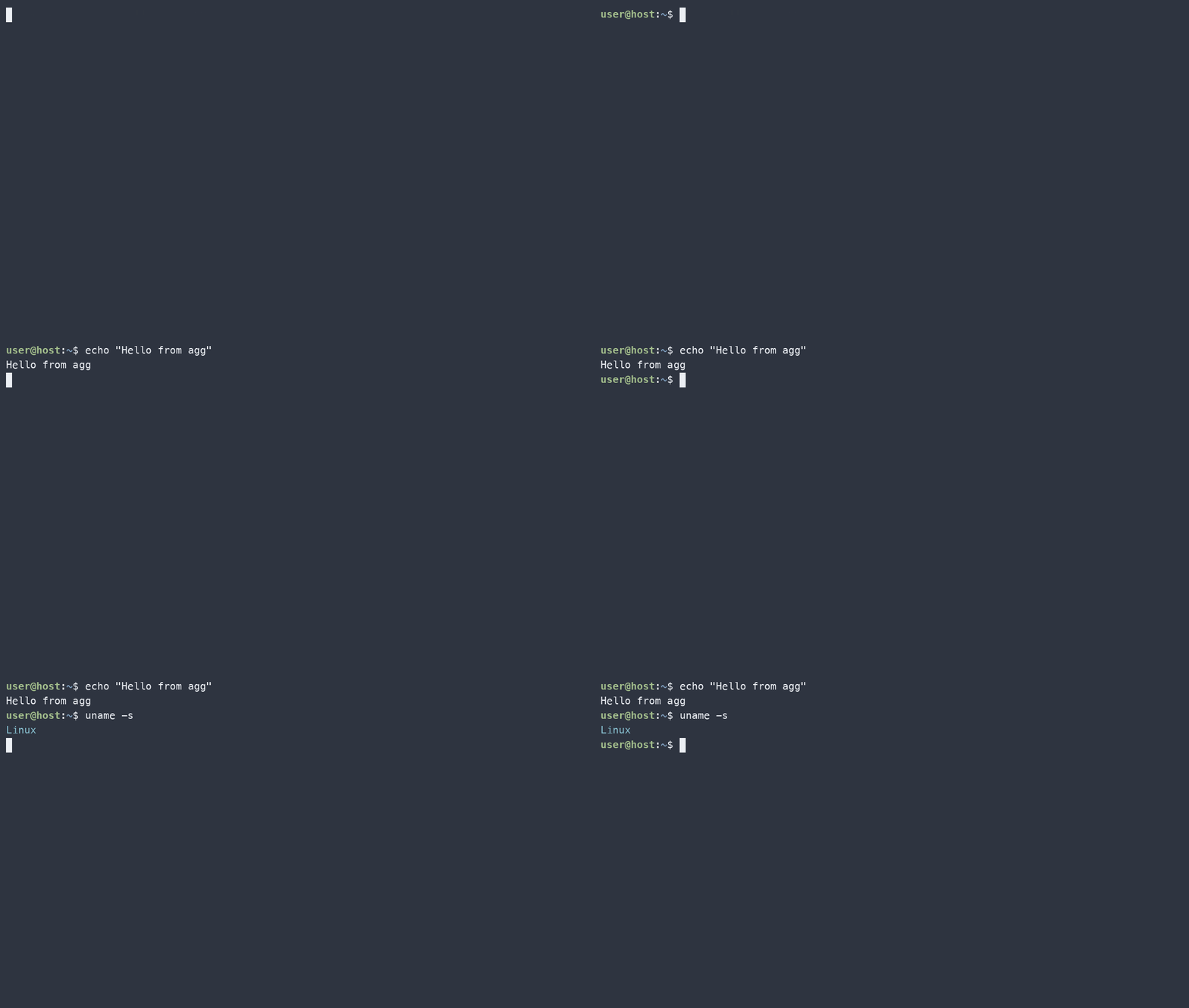
- Combine Options for a Production GIF: Put theme, dimensions, font sizing, and playback pacing together in a single command:
agg \
  --theme nord \
  --cols 96 \
  --rows 22 \
  --font-size 20 \
  --line-height 1.45 \
  --speed 1.25 \
  --idle-time-limit 2 \
agg-demo.cast polished.gifExpected Output:
Note: Overriding
--colsand--rowscan reflow long lines or alter full-screen TUIs compared to how they looked during recording, so preview the resulting GIF to verify line wrapping. Larger--font-sizevalues also increase pixel dimensions and file size.
Key agg Options Reference
| Option | Purpose | Example / Notes |
|---|---|---|
--theme |
Sets built-in or custom hex color palette | --theme dracula, monokai, nord, github-light |
--cols |
Overrides terminal width in columns | --cols 100 (defaults to recording header) |
--rows |
Overrides terminal height in rows | --rows 30 (defaults to recording header) |
--font-size |
Sets rendered terminal font size in pixels | --font-size 20 (higher values = crisper, larger GIF) |
--line-height |
Sets vertical row spacing multiplier | --line-height 1.4 (default is 1.4) |
--font-family |
Specifies monospace font list | --font-family "JetBrains Mono,Fira Code" |
--speed & --idle-time-limit |
Adjusts playback rate and caps pauses | --speed 1.5 --idle-time-limit 2 |
Conclusion
Using a sample agg-demo.cast file and agg lets you reproduce terminal GIFs deterministically while keeping your source asciinema recording lightweight and editable in plain text. Tuning --theme, --cols, --rows, --font-size, and --line-height ensures your commands and outputs stay crisp and legible across documentation layouts.
Whether you’re documenting CLI workflows, building technical blog posts, or sharing quick command demos, agg gives you scriptable control over terminal presentation from a single .cast file.